Speed measurement
Here we will compare the speed of plotting UnfoldMakie with MNE (Python) and EEGLAB (MATLAB).
Three cases are measured:
- Single topoplot
- Topoplot series with 50 topoplots
- Topoplott animation with 50 timestamps
Note that the results of benchmarking on your computer and on Github may differ.
using UnfoldMakie
using TopoPlots
using BenchmarkTools
using Observables
using CairoMakie
using Statistics
using PythonPlot;
using PyMNE;
CondaPkg Found dependencies: /home/runner/work/UnfoldMakie.jl/UnfoldMakie.jl/docs/CondaPkg.toml
CondaPkg Found dependencies: /home/runner/.julia/packages/CondaPkg/lKlVY/CondaPkg.toml
CondaPkg Found dependencies: /home/runner/.julia/packages/PyMNE/AlJE6/CondaPkg.toml
CondaPkg Found dependencies: /home/runner/.julia/packages/PythonCall/5WGSP/CondaPkg.toml
CondaPkg Found dependencies: /home/runner/.julia/packages/PythonPlot/96RVm/CondaPkg.toml
CondaPkg Dependencies already up to dateData input
dat, positions = TopoPlots.example_data()
df = UnfoldMakie.eeg_array_to_dataframe(dat[:, :, 1], string.(1:length(positions)));
Topoplots
UnfoldMakie.jl
@benchmark plot_topoplot(dat[:, 320, 1]; positions = positions)BenchmarkTools.Trial: 100 samples with 1 evaluation per sample.
Range (min … max): 30.515 ms … 1.230 s ┊ GC (min … max): 0.00% … 96.81%
Time (median): 33.608 ms ┊ GC (median): 0.00%
Time (mean ± σ): 50.224 ms ± 126.717 ms ┊ GC (mean ± σ): 32.10% ± 13.20%
█
█▇▄▁▁▁▁▁▁▁▁▁▁▁▁▁▁▁▁▁▁▁▁▁▁▁▁▁▁▁▁▁▁▁▁▁▁▁▁▁▁▁▁▁▁▁▁▁▁▁▁▁▁▁▁▁▁▁▁▄ ▄
30.5 ms Histogram: log(frequency) by time 464 ms <
Memory estimate: 8.39 MiB, allocs estimate: 124389.UnfoldMakie.jl with DelaunayMesh
@benchmark plot_topoplot(
    dat[:, 320, 1];
    positions = positions,
    topo_interpolation = (; interpolation = DelaunayMesh()),
)
BenchmarkTools.Trial: 93 samples with 1 evaluation per sample.
Range (min … max): 30.981 ms … 1.631 s ┊ GC (min … max): 0.00% … 97.72%
Time (median): 33.529 ms ┊ GC (median): 0.00%
Time (mean ± σ): 57.205 ms ± 176.193 ms ┊ GC (mean ± σ): 41.14% ± 14.00%
█
█▄▁▁▁▁▁▁▁▁▁▁▁▁▁▁▁▁▁▁▁▁▁▁▁▁▁▁▁▁▁▁▁▁▁▁▁▁▁▁▁▁▁▁▁▁▁▁▁▁▁▁▁▁▁▁▁▁▁▄ ▁
31 ms Histogram: log(frequency) by time 631 ms <
Memory estimate: 8.40 MiB, allocs estimate: 124396.MNE
posmat = collect(reduce(hcat, [[p[1], p[2]] for p in positions])')
pypos = Py(posmat).to_numpy()
pydat = Py(dat[:, 320, 1])

@benchmark begin
    f = PythonPlot.figure()
    PyMNE.viz.plot_topomap(
        pydat,
        pypos,
        sphere = 1.1,
        extrapolate = "box",
        cmap = "RdBu_r",
        sensors = false,
        contours = 6,
    )
    f.show()
end
BenchmarkTools.Trial: 313 samples with 1 evaluation per sample.
Range (min … max): 12.760 ms … 467.531 ms ┊ GC (min … max): 0.00% … 0.00%
Time (median): 13.148 ms ┊ GC (median): 0.00%
Time (mean ± σ): 16.001 ms ± 33.711 ms ┊ GC (mean ± σ): 0.00% ± 0.00%
█▇▄▆▄ ▂ ▁
▄███████▄▅▆▅▅▅▄▅▆█▆█▇▇▃▃▃▃▂▃▃▁▂▄▂▄▂▃▁▁▂▁▃▁▂▁▃▁▁▁▂▂▁▁▁▂▁▂▁▁▁▃ ▃
12.8 ms Histogram: frequency by time 15.3 ms <
Memory estimate: 3.48 KiB, allocs estimate: 110.Topoplot series
Note that UnfoldMakie and MNE have different defaults for displaying topoplot series. UnfoldMakie in plot_topoplot averages over time samples. MNE in plot_topopmap displays single samples without averaging.
UnfoldMakie.jl
@benchmark begin
    plot_topoplotseries(
        df;
        bin_num = 50,
        positions = positions,
        axis = (; xlabel = "Time windows [s]"),
    )
end
BenchmarkTools.Trial: 2 samples with 1 evaluation per sample.
Range (min … max): 2.398 s … 3.291 s ┊ GC (min … max): 13.77% … 32.75%
Time (median): 2.845 s ┊ GC (median): 24.75%
Time (mean ± σ): 2.845 s ± 631.773 ms ┊ GC (mean ± σ): 24.75% ± 13.42%
█ █
█▁▁▁▁▁▁▁▁▁▁▁▁▁▁▁▁▁▁▁▁▁▁▁▁▁▁▁▁▁▁▁▁▁▁▁▁▁▁▁▁▁▁▁▁▁▁▁▁▁▁▁▁▁▁▁▁█ ▁
2.4 s Histogram: frequency by time 3.29 s <
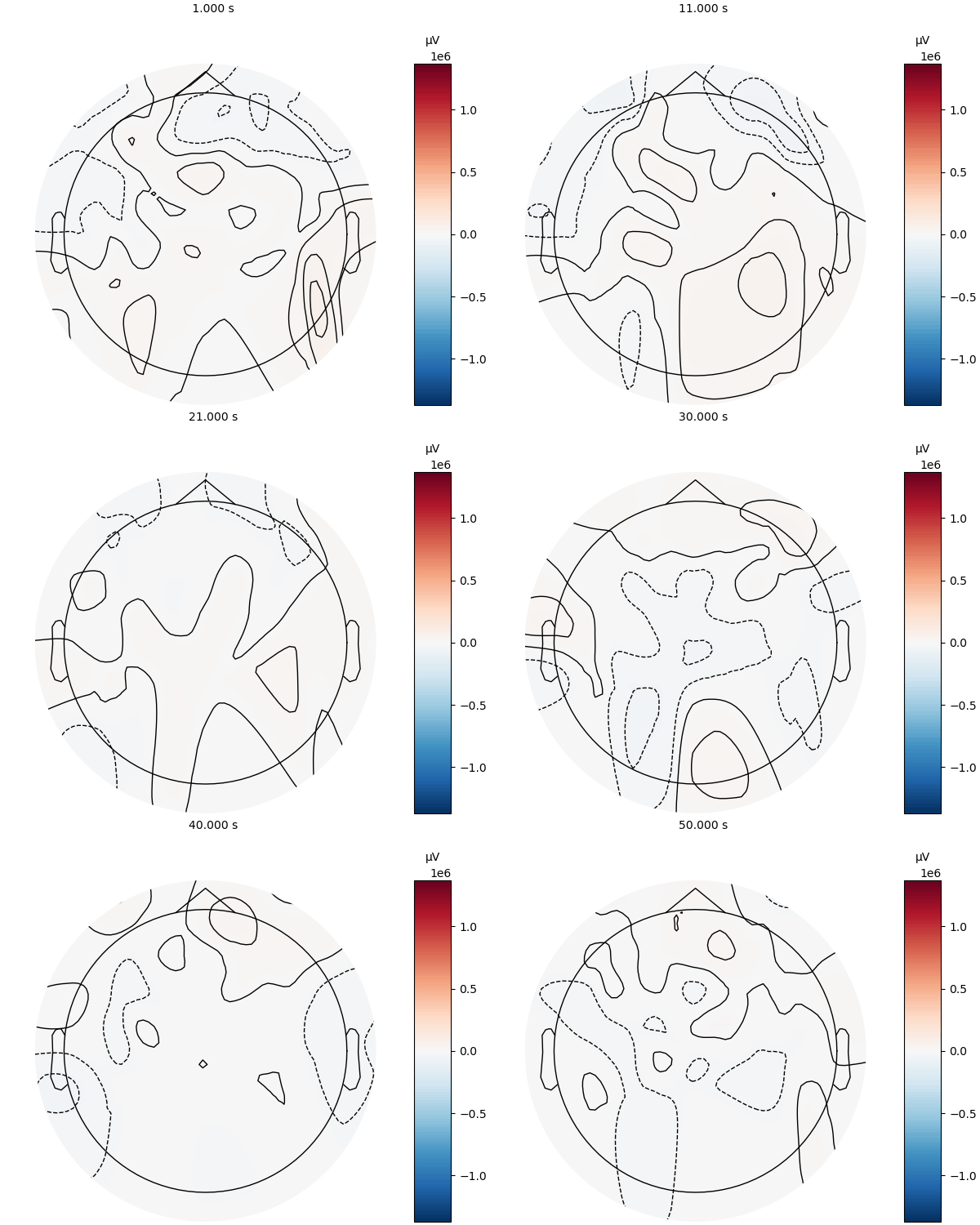
Memory estimate: 342.22 MiB, allocs estimate: 4920650.MNE
easycap_montage = PyMNE.channels.make_standard_montage("standard_1020")
ch_names = pyconvert(Vector{String}, easycap_montage.ch_names)[1:64]
info = PyMNE.create_info(PyList(ch_names), ch_types = "eeg", sfreq = 1)
info.set_montage(easycap_montage)
simulated_epochs = PyMNE.EvokedArray(Py(dat[:, :, 1]), info)

@benchmark simulated_epochs.plot_topomap(1:50)
BenchmarkTools.Trial: 5 samples with 1 evaluation per sample.
Range (min … max): 740.138 ms … 2.024 s ┊ GC (min … max): 0.00% … 0.00%
Time (median): 744.367 ms ┊ GC (median): 0.00%
Time (mean ± σ): 1.001 s ± 572.182 ms ┊ GC (mean ± σ): 0.00% ± 0.00%
█
█▁▁▁▁▁▁▁▁▁▁▁▁▁▁▁▁▁▁▁▁▁▁▁▁▁▁▁▁▁▁▁▁▁▁▁▁▁▁▁▁▁▁▁▁▁▁▁▁▁▁▁▁▁▁▁▁▁▁▁▆ ▁
740 ms Histogram: frequency by time 2.02 s <
Memory estimate: 2.59 KiB, allocs estimate: 82.MATLAB
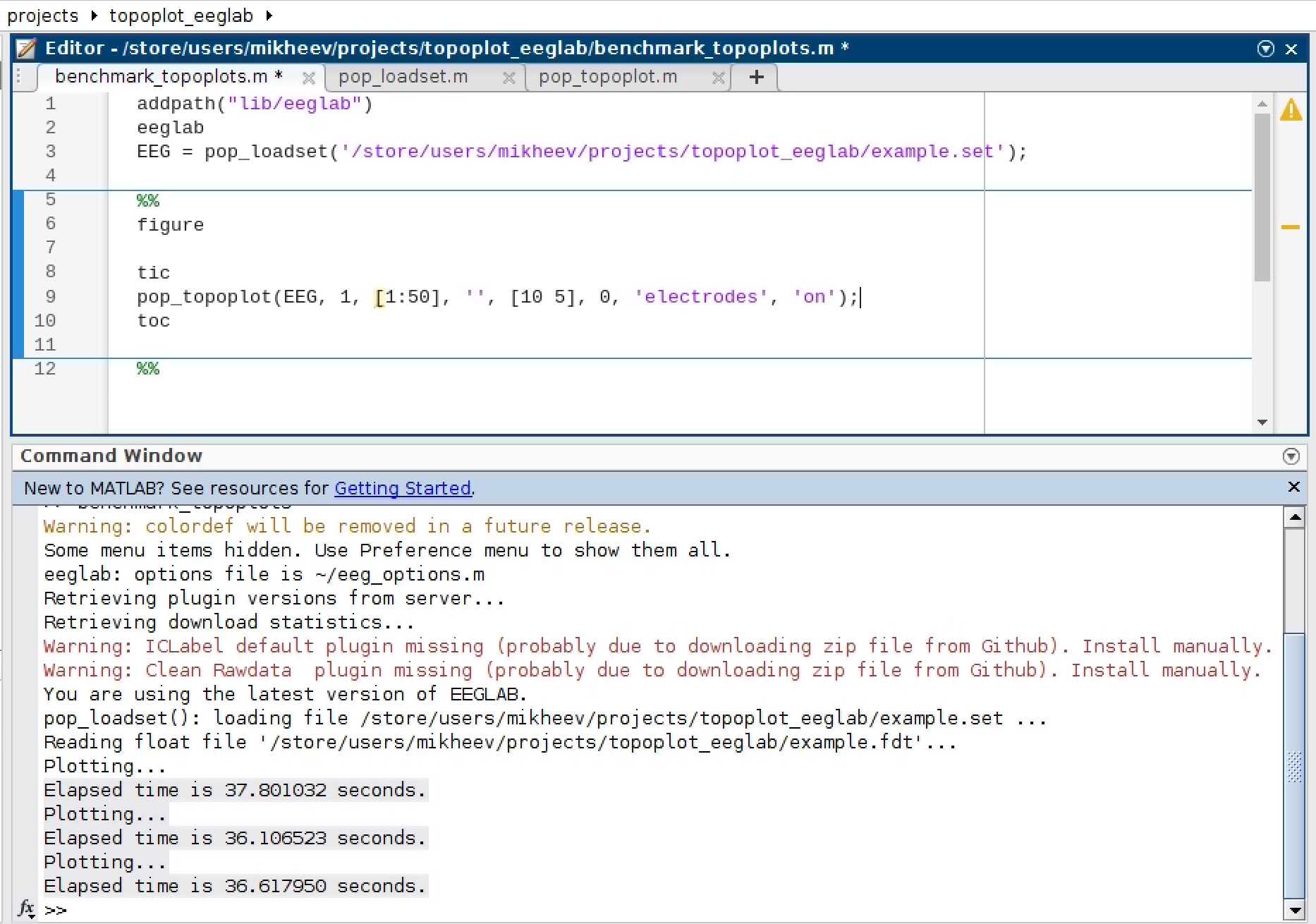
Running MATLAB on a GitHub Action is not easy. So we benchmarked three consecutive executions (on a screenshot) on a server with an AMD EPYC 7452 32-core processor. Note that Github and the server we used for MATLAB benchmarking are two different computers, which can give different timing results.
Animation
The main advantage of Julia is the speed with which the figures are updated.
timestamps = range(1, 50, step = 1)
framerate = 5050UnfoldMakie with .gif
vals = vec(dat[:, :, 1])
p01, p99 = quantile(vals, [0.01, 0.99])
m = max(abs(p01), abs(p99))
cr = Float32.((-m, m))
@benchmark begin
    f = Makie.Figure()
    dat_obs = Observable(dat[:, 1, 1])
    plot_topoplot!(f[1, 1], dat_obs, positions = positions, visual = (; contours = false, colorrange = cr),)
    record(f, "topoplot_animation_UM.gif", timestamps; framerate = framerate) do t
        dat_obs[] = @view(dat[:, t, 1])
    end
end
BenchmarkTools.Trial: 3 samples with 1 evaluation per sample.
Range (min … max): 1.958 s … 2.099 s ┊ GC (min … max): 0.00% … 1.80%
Time (median): 2.055 s ┊ GC (median): 1.52%
Time (mean ± σ): 2.037 s ± 72.137 ms ┊ GC (mean ± σ): 1.13% ± 0.97%
█ █ █
█▁▁▁▁▁▁▁▁▁▁▁▁▁▁▁▁▁▁▁▁▁▁▁▁▁▁▁▁▁▁▁▁▁▁▁▁▁▁█▁▁▁▁▁▁▁▁▁▁▁▁▁▁▁▁█ ▁
1.96 s Histogram: frequency by time 2.1 s <
Memory estimate: 118.70 MiB, allocs estimate: 320172.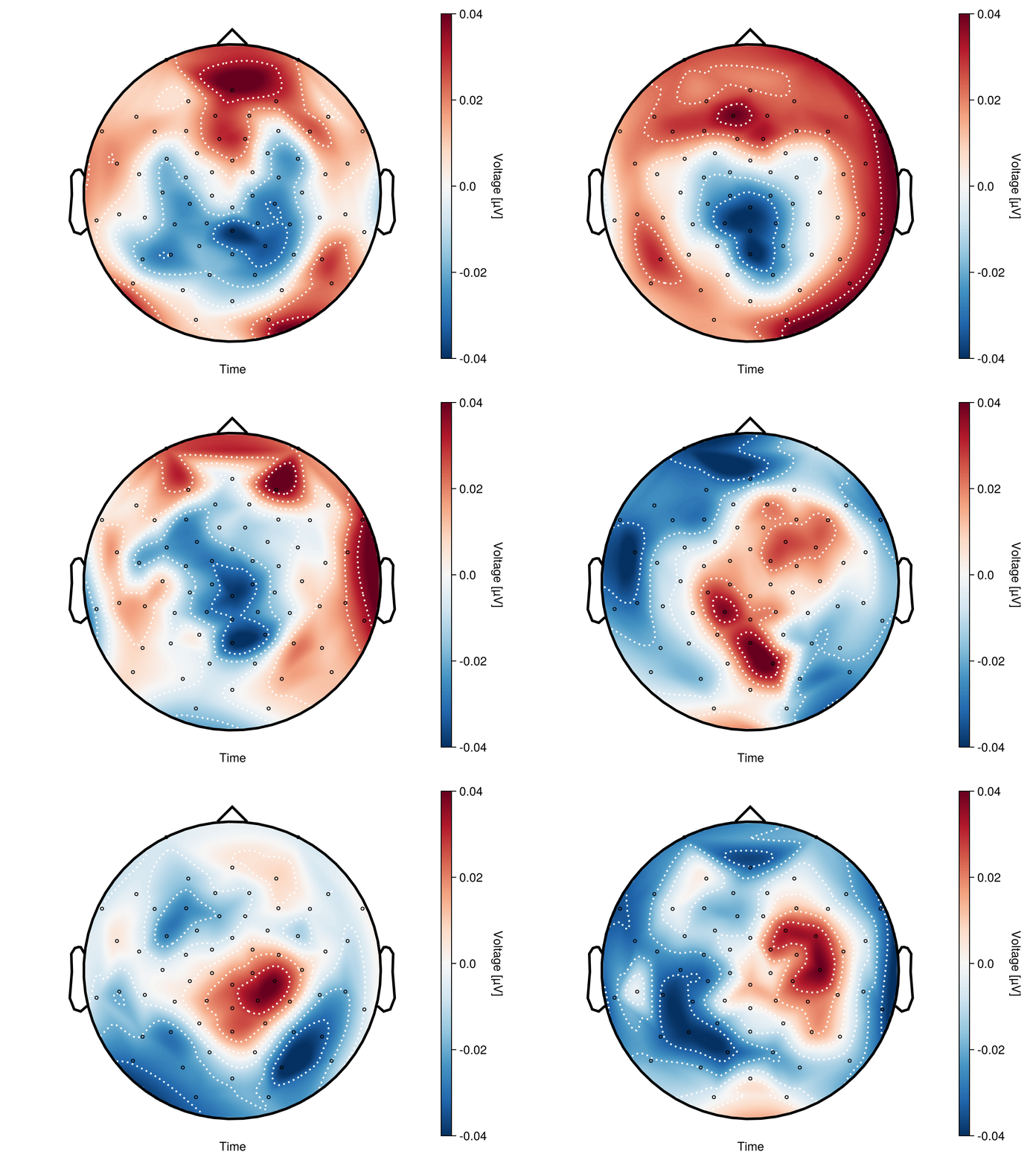
MNE with .gif
@benchmark begin
    fig, anim = simulated_epochs.animate_topomap(
        times = Py(timestamps),
        frame_rate = framerate,
        blit = false,
        image_interp = "cubic", # same as CloughTocher
    )
    anim.save("topomap_animation_mne.gif", writer = "ffmpeg", fps = framerate)
end
BenchmarkTools.Trial: 1 sample with 1 evaluation per sample.
Single result which took 8.349 s (0.00% GC) to evaluate,
with a memory estimate of 3.36 KiB, over 116 allocations.Note, that due to some bugs in (probably) PythonCall topoplot is black and white.
This page was generated using Literate.jl.